How to Prepare Pay Stubs for Your Small Business?
Small Business Owners are responsible for many things, and while payroll may seem like an easy fix, it has to be done correctly. There are legal and critical aspects to getting it done, and one of them is the pay stub. Having easy-to-read pay stubs is key to keeping the employee informed, is required by law, and is best for your business to retain.
This will be a complete overview of and Pay Stubs for your small business. We will answer what is needed on a pay stub to be compliant in the U.S. and Canada, what your options are to create one, and what legalities must be adhered to. You will be able to resolve your payroll challenges and create pay stubs in confidence.
The Importance of Pay Stubs for Your Small Business
Pay stubs are also known as pay slips or wage statements and are far more than a record of an employee?s gross pay. Pay stubs provide a breakdown of the employee’s salary, deductions, and the net payment that the employee receives. Within a small business, providing pay stubs can greatly benefit the business in the following ways:
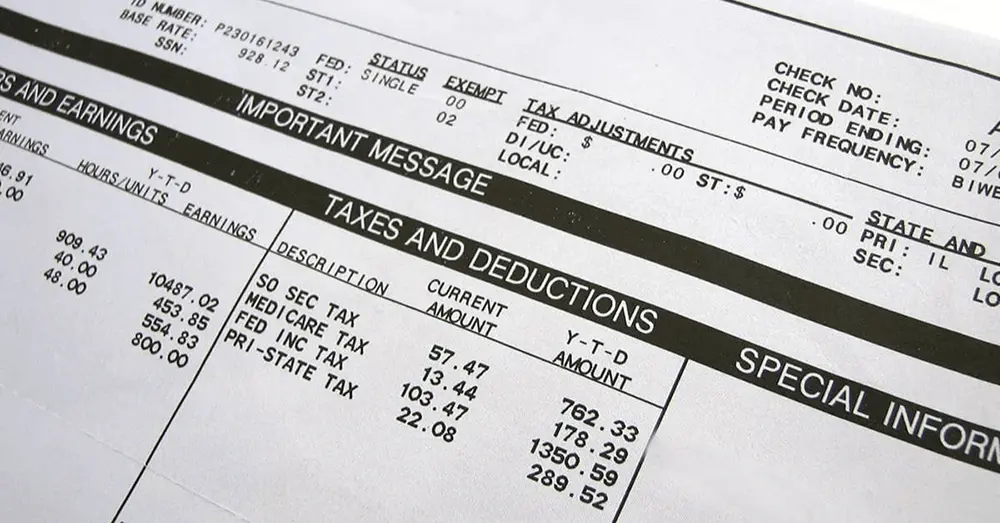
Encourage Employee Trust: Pay stubs that are calculated properly foster trust and transparency within the organization by allowing the employees to see how their salary is being calculated, thus employee disputes are minimized.
Meet Legal Obligations: Most states, provincial, and federal laws clearly define that employers need to provide employees with an questions with no statements or breakdowns of their earnings. Not providing earnigs statements can lead to penalties and legal issues for the business.
Record-Efficiently: Both the employer and employee need pay stubs for their records. Employees need them to provide proof of their income and employment for loans, rentals, and taxes, while employers need them for cataloging records, taxes, and audits.
Provide Employees Educational Tools: When employees receive comprehensive pay stubs, they can better understand their total earnings and taxes withheld, and also see the deductions for various benefit programs like healthcare or retirement plans.
What Information Must Be on a Pay Stub?
The U.S., Canada, and even individual states and provinces have their own respective regulations on pay stubs and their guidelines. However, some details remain compulsory. Making sure these have been followed is the first step to fulfilling compliance.
Pay Stubs in the United States.
The Fair Labor Standards Act (FLSA) requires to keep thorough documentation of hours worked and wages paid; however, recordkeeping in the form of pay stubs is not a federal requirement. Nearly all states have their own laws on this though, and to ensure compliance, the following is best practice.
Name of the Business and Address: These should be your business’s legal name and address.
Name of the Employee: The name, address, and employee ID number (if applicable) of the employee.
Date of Pay Period: The starting date and ending date for the duration of the employee’s payment.
Date of Pay: The date the employee is paid.
Gross Pay: The amount of money that is earned before any deductions are made, and should be itemized as follows:
Pay Rate: The all-inclusive amount of money an employee is paid for one hour of work or a salaried payment.
Hours: If the employee is non-exempt, include their regular hours and overtime hours worked, as well as their applicable pay rate.
Other Earnings: Bonuses, commissions, or any other forms of payment received.
Deductions: An itemized detail of all amounts withheld from the gross pay.
Statutory Deductions: Federal income tax, Social Security, Medicare (FICA), and state income tax, where applicable.
Voluntary Deductions: Heath, garnishment of wages and retirement plan contributions (e.g. 401(k)).
Net Pay: The total amount of money, which an employee ultimately receives. This amount is arrived at, after all the administrative deductions have been taken from gross earnings.
Yea-to-Date (YTD) Totals: Total amounts accumulated for gross earnings, all deductions, and net pay for the present calendar year.
Pay Stub Requirements in Canada
In Canada, each Province and Territory Employment Standards Acts stipulate that employers are required to provide a written pay statement after each pay period. The outlines are identical to the United States, subject to particular details.
Employer Information: The legal name and address of your business.
Employee Information: Full name of the employee.
Pay Period: The particular time period that the payment covers.
Pay Date: The date payment is made.
Gross Wages: The total amount earned (before any deductions are made). This should contain information about…
Rate of Pay: The method used to compute the wages (e.g., hourly rate, salary, or commission rate).
Hours Worked: The total number of hours worked, at the regular rate, and any number of overtime hours that were worked, at the overtime rate.
Deductions: An itemized outline of all withholding amounts.
Statutory Deductions: Payments resulting from the Canada Pension Plan (CPP), Employment Insurance (EI) premiums, as well as the federal and provincial tax obligations.
Other Deductions: Payments associated with benefits, union dues, or as ordered by a court ruling.
Net Pay: The amount the employee receives, as well as the total.\
Wage-Related Balances: In some areas, there may be a requirement to report any vacation pay that is either accrued or was paid out.
Refer to the detailed statutory labor regulations that apply to the state or province to ensure that all the required information from the local regulations is present.
How to Create Pay Stubs: 3 Methods for Small Businesses
Now that you are aware of the information to be reported, let us look at the alternative ways to create pay stubs. The optimal choice for your organization will depend on your available resources, employee count, and the time you have to allocate for payroll processing.
-
Manual Creation Using Templates
The least complicated approach is to construct pay stubs by hand. One may opt to build a template from scratch using a program of choice, like Microsoft Excel or Google Sheets. This option provides total freedom of choice with regard to the structure and information incorporated on the template.
How it works. You will develop a spreadsheet and designate a row for each element of the pay stub. For every payroll period you will input the employee’s hours and, from that, compute gross pay. You will use the IRS or CRA tax tables to compute withheld taxes, other deductions, work out the total net pay, and compute the total net pay.
The advantages are that it is
Cost Effective. This is the least expensive choice. The only thing you need is a spreadsheet.
Complete Control. You will have the ability to modify the template to match your specific preferences.
Some of the disadvantages are
Time Intensive. The manual computations are include every employee, each pay period, and are extremely tedious.
High Chance for Error. The tax and other deduction computations are complex and open to ambiguous, costly errors. There are continual changes to the laws and rates, and staying current can be quite demanding.
Not Scalable. This option is unmanageable when the business is larger and has more employees.
This option is only advisable for companies with a maximum of two employees and a very straightforward payroll structure.
The second option is more advanced than a manual template. Stubcheck.com, for example, is an online pay stub generator. This tool offers more assistance than the manual pay stub template to help with the creation of pay stubs.
How it works: You enter your company, employee, pay rate, hours, other earnings, and withholdings into an easy-to-use form. The program calculates everything, including taxes, and creates a pay stub in PDF form.
Pros:
Speed and convenience: It will take a few minutes for you to create a pay stub, and it will be precise and professional.
Reducing errors: There will be no need to manually calculate almost everything, as the program will do it, and it will be using the correct numbers. Also, most programs make an effort to use the correct tax table, and they will have the most recent ones for the US and Canada.
Affordable: There are pay stub makers for a small fee each, and you will not need to pay more for a full-service payroll program.
Professional Appearance: It will be generated, and it will look clean and professional, and your employees will be able to read it.
Cons:
Not a full payroll solution: If you need to pay employees, make direct deposits, or deal with tax reports and filings, these are not tools for you, and you will need a full-service payroll program.
For small businesses or for self-employed or independent contractors dealing with proof of income, Online pay stub generators are an outstanding option and there is no need to have complete payroll systems.
-
Investing in Full-Service Payroll Software
For businesses seeking an all-encompassing solution, full-service payroll software is the gold standard. Gusto, QuickBooks Payroll, and ADP are all successful companies that provide software that is capable of fully managing every aspect of your payroll.
How it Works: You create an account and set up your business, and employee profiles in the software. You input the hours worked during each pay period, and let the software do all the work. It processes the payment, calculates the payment and withholdings, issues the payment via direct deposit, files the required payroll tax forms with the federal and state/provincial agencies, and distributes pay stubs.
Pros:
Complete Automation: Saving you hours of work and effort, it provides you with an entirely hands off approach.
Guaranteed Compliance: They’re relatively low-risk as companies guarantee the accuracy of tax filings, and provide protection from penalties.
Integrated HR Features: More and more applications are providing additional tools for employee onboarding, benefits administration, time tracking, etc.
Scalability: The software can manage a near limitless number of employees and payroll complexities.
Cons:
Higher Cost: Full-service payroll software costs more than a pay stub generator, as you are paying a monthly subscription.
Less Customization: Features and templates are pre-determined by the software.
Focusing on payroll and tax responsibilities is an excellent option for growing small businesses that would rather fully delegate these tasks.
Frequently Asked Questions (FAQ)
-
Do I need to provide pay stubs to independent contractors?
No. Pay stubs are for employees in both Canada and the United States. Independent contractors are deemed self-employed and are responsible for tracking income and paying taxes. You should provide an invoice for the independent contractor’s service. At the end of the year, you will need to provide them with either a Form 1099-NEC (in the U.S.) or a T4A slip (in Canada) if payments exceed a certain amount threshold.
-
How long do I need to keep copies of pay stubs?
Under the FLSA, you must keep payroll records for a minimum of three years in the United States. The IRS requires employment tax records to be kept for a minimum of four years. The recommended amount of time to keep these records is four years or more.
In Canada, payroll documents must be kept for a minimum of six years following the last tax year they relate to as per federal and most provincial and territorial laws.
-
Is sending pay stubs via email acceptable?
Yes, electronic pay stubs are accepted but some places may have additional policies. For example, you may be required to obtain permission from your employees to send pay stubs electronically, verify that the pay stubs are sent securely, and offer a free option to print the stubs.
-
How do I rectify a mistake on a pay stub?
When a mistake is discovered, the mistake should be rectified as soon as possible. Steps to take should include:
Calculating how much the employee should be paid.
Provide the employee with a new pay stub that reflects the correct information.
If the employee has been underpaid, pay the underpaid amount immediately, or, if the employee has been overpaid, a deduction should be made on the next paycheck if overpayment is applicable (ensure compliance with local overpayment laws).
Update your payroll records to reflect the new information so that your records remain accurate.
-
My company is very small. I only have one employee. Do I have to make pay stubs for her?
Yes. Even when you have only one staff member, you have certain legal responsibilities relating to labor, one of which is providing pay stubs, which is required in most jurisdictions. In this situation, obtaining a pay stub generator is ideal since it is an inexpensive solution that does not involve an expensive software subscription.